

Make Space for Tight Bass
The bass and kick are the foundation of your mix, and we want them to utterly dominate the lowest frequencies. I’m going to show you how to use a frequency analyzer to cut excess lows from every track in your mix, leaving clear, tight, punchy bass.
Configure SPAN
My favorite frequency analyzer is Voxengo SPAN. It’s free on both Mac and Windows, so grab it! Once it’s installed, load it on the master bus. Place the GUI where it won’t get covered up, or set it to “always on top.”
There are three settings we need to adjust, by clicking the “edit” button in the upper right corner:
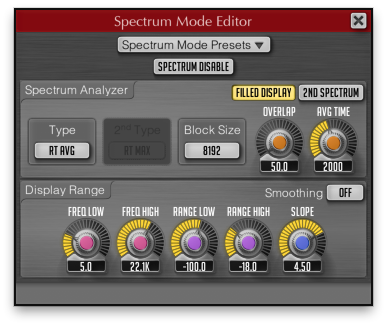
Block Size – The higher the number, the more accuracy in the lowest frequencies, but the slower the refresh rate. 8192 is the best compromise on my system.
FREQ LOW – Lower it to 5 Hz to spot DC offset and other subsonic garbage.
RANGE LOW – This setting adjusts the display on the y axis. -100 works for my mixes, but let your eyes be the judge.
Track by Track
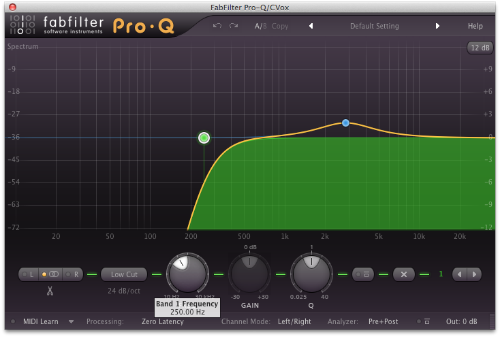
Next we check the low frequency content of every track in your mix except the kick and bass, and in most cases, insert a low cut (aka highpass) filter somewhere between 100-300 Hz.
Use your ears to set the frequency of the cutoff while the track you’re adjusting plays with the bass and kick. A 24 dB/octave filter is usually adequate, but if you’re seeing mountains instead of molehills, you might need to bump it up to 48 dB/octave. It’s okay if it sounds thin by itself, as long as it plays nice with the bass and kick. A good rule of thumb is:
Raise the frequency until the tone changes in an undesirable way
I usually roll off my vocals around 250 Hz, but sometimes I’ll roll off pads or guitars as high as 300 Hz. For meaty snares, I might go as low as 80 Hz. You don’t want to clutter the bass, but you don’t want to leave a hole either.
Kick & Bass
Does that mean that we leave the kick and bass alone? Typically, no.
We need to balance the sub bass with the rest of the mix, to get a deep full tone from the bass and a healthy “chest thump” from the kick without blowing out any speakers. Excess energy below 50 Hz also limits our potential for squeezing volume out of the mix in the mastering stage.
We could always just low cut the entire mix, but that’s ugly and imprecise. Even if we nail the frequency and slope of the filter, the EQ will add undesireable phase coloration and/or pre-ringing. It’s better to sculpt the low end on a track-by-track basis, balancing out the sub bass and shaping competing elements to reveal a powerful foundation for your mix.
Most mix engineers can’t even hear the bottom octave (20-40 Hz) because their monitors can’t produce it. Unless your room is 300 square feet or larger, and professionally tuned, adding a subwoofer will probably do more harm than good. We can’t always hear what’s down there, but with a frequency analyzer, we can see it.
I usually roll off the kick and bass anywhere from 20-50 Hz, sometimes not at all. Try loading in a few reference tracks, matching their volumes to your mix, and comparing. It’s all relative.
Effect Returns
If you’ve ever set up a surround system, you know that you can put the subwoofer pretty much anywhere. Since bass is omnidirectional, we don’t perceive it as coming from one particular spot.
For that reason, it doesn’t make sense to spread the low frequencies of your mix across the stereo spectrum. It weakens your imaging and makes the mix sound narrow. Worse, if you’re cutting vinyl, it can make the needle jump out of the groove.
So as much as possible, we want the lows to be in mono. If you’ve got the kick and bass panned anywhere other than dead center, no lollipop for you!
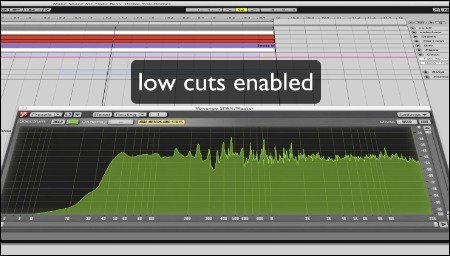
To this end, cutting the lows from the effect returns makes a remarkable difference. I insert a low cut before the reverb/delay, typically at 250 Hz with a gentle slope to emphasize the high mids and highs. Higher frequencies are more directional, so highlighting that range in the effect returns makes for yummy headphone candy.
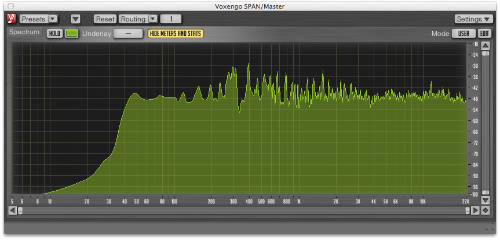
The end result is a tonally balanced mix with just the right amount of sub. I managed a relatively straight line from 40 Hz all the way to the top of the spectrum. Your milage may vary, and is heavily dependent on the arrangement.
And because I love you, I made this video to demonstrate the process on one of my Color Theory tracks. If you’re not convinced yet, hearing the before/after will make you a believer!
Does cutting low frequencies boost the energy in higher frequencies? It sounds brighter, but is it like a balloon that becomes bigger on one side when the other side is squeezed?
The amount of energy in the highs shouldn't change in any significant way, but since the tonal balance shifts upward, the result sounds brighter. It would be like if you had separate woofers and tweeters in your car, and you cut out the woofers. The result would sound much brighter, even though the tweeters are playing back the same thing.
This is a great article Brian — the effort is much appreciated (and will be applied!)
Do you use a separate plugin to cut any DC that might creep in? What do you use? I don't think I've found any setting on FF/ProQ that takes the roll off all the way down to 0Hz. I've seen a specialized DC/VLF filter used in a groove3 tutorial but I don't remember what the plugin was.
Actually, the settings I use seem to take care of it! Sometimes linear phase EQs don't get down there, but most minimum phase EQs will. FabFilter Pro-Q seems to handle it regardless of the latency I select.
Thanks for the kind words!
Great article & video Brian. Great explanation of using EQ to clean up sounds in the spectrum and give them their place. Never used Voxengo Span, though I've just downloaded and it and will give it a whirl. I do love the FabFilter line of tools.
Oooh Voxengo Span LIKE. And it comes in the 64-bit model that's so popular in the current century (more than I can say for Soundtoys, Antares, and Avid).
FabFilter are my bread and butter! Pro-Q, Pro-C, Pro-L. I've got the other ones too, but I still need to invest some quality time with them.
great article….the bass always need more attention in the mix. 🙂 congrats!
Great Stuff! I'd love to hear more on Vocal processing and placement in the mix.
Thanks Hal! I'll consider that for a future article/screencast.
My new video is coming soon. I just made $3000 this week and I will have enough money for my shooting before December. I never thought I could make as much money as this. Check this website to read the article https://6rw.ddp.net/.
Nice!
Great Vid! Thanks! please make more.
Thanks Joey! I just may, one of these days. Hard to find the time!
Love this video! I always come back to it when I'm mixing as a great reminder to mix tight bass.
Wow! nice..very nice I like it.
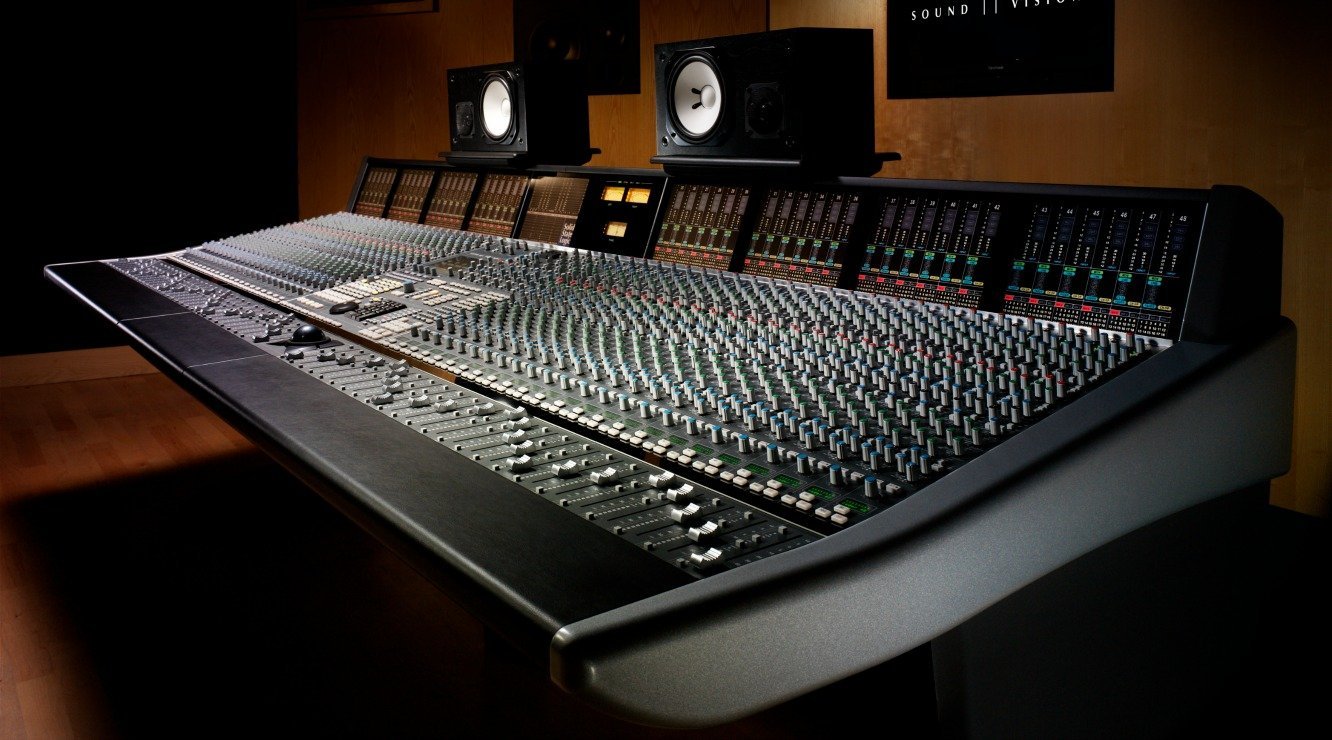
This is some good advice! Well done. Man that very top pic, I’ll look forward to when I can afford to own a mixing setup like that.
Wow dis was really educative, though i have a problem Brian, i Use Sonar x3 and reason for music production, can i get any info or guide on how to make my beat in general more heavy and thick?
Timmy samuel
I’ve seen tricks, like parallel compression or layering samples, but I don’t use any of them myself! I think it mostly comes down to sample selection. Bus compression is worth a shot, but I don’t always use it.
Very informative. When you say high pass filter, what does that look like in presonus studio one?
I haven’t used Studio One, but let me Google that for you. 😉
Looks like it’s labeled “LC” for low cut, in the lower lefthand corner.
Thanks. Also when you say to cut the other tracks with 24 to 48db, does that include the HC and the LC? Also would you put the kick drum and bass at 6db?
24 dB refers to the slope of the low cut (aka highpass) filter. That’s what I use 90% of the time.
Ok. One more question lol. I’m finding that with vocals in particular, doing a low cut has lead to some sibilance (hard ‘s’ and t’s) creeping in. I’ve used a De-Esser compressor and that’s helped for the most part, but any advice on how to soften the hard sounds without making the vocals muddy?
In reply to Kevin on vocal low cuts and sibilance —
Yes, a de-esser is the way to go. It shouldn’t make the vocals muddy if it’s only kicking in on the loudest sibilants. My go-to tool is FabFilter Pro-DS.